Google Analytics is a versatile reporting and tracking system that turns out valuable data regarding the performance of your website. Launched in 2005, it is an easily operable system, even for beginners. It also has many advanced features that can help with the creation of complex reports, track visitors’ movement paths through the site, and monitor conversions of goals you set at specific intervals. The service is free, although a premium option is also available for advanced users and corporations.
The benefits of Google Analytics
The data received through Google Analytics provides in-depth knowledge regarding the various performance aspects of your website. Through these reports, you can track the performing and non-performing areas also. You can track marketing campaigns, integrate Google Adsense and Adwords to see reports regarding revenues earnings site-wide. You can also track e-commerce dealings, campaigns and keywords to identify the best revenue sources.
Google Analytics account
The first step of using Google Analytics is to create an account on the Google Analytics website. You need to sign up with your existing Google account and start creating a new account there. Be sure to enter your account name, website name and URL address in the requisite fields. Then you need to select the “Data Sharing Settings” at the bottom of the displayed page. By default, all four types of data are selected. Click on “Get Tracking Id” to proceed to the next phase.
In this context, you may also configure the “User Management” tab in the Admin area. Here, you may set up accessibility options for different users of your website with regards to Google Analytics reports. There are four permissions available – ‘Edit’, ‘Collaborate’, “Manage Users” and “Read and Analyze”. In this page, you will also be able to view all the webpages where you have enabled in Google Analytics reporting.
Tracking code
Agree to Google’s “Terms of Service” page for continuing to the next page. You will get the tracking id here. It will start with the prefix ‘UA’. You need to copy this code and come back to your website. In your website’s Google Analytics Settings Tab, copy this code to the “Tracking Id” text box and click on “Save Settings”. This will link your website to the Google Analytics site and enable exchange and processing of data between them.
Adding Google Analytics to WordPress
After creating your WordPress website, the next step of setting up Google Analytics is to add the tracking id to your WordPress site’s pages. There are three ways of achieving this integration: Manually enter the JavaScript tracking id before the closing <head> tag of your webpage. Repeat this for every page of your website or you may track selective pages in this manner. In most regular WordPress themes, you may create a child theme and add the tracking id in the header.php file, in the same position as the manual entry (discussed above). More advanced and premium themes have a separate place of entering the tracking id in the Settings menu. Use a plugin for Google Analytics and configure the “Web Property” tab by putting the tracking id there.
Google Analytics currently uses asynchronous loading to ensure the faster processing of webpages and not affecting page loading speeds. This mode ensures that the tracking code executes only after the entire page is loaded in the user’s system.
Now that Google Analytics has started functioning for your website, you need to wait for 12 to 24 hours, depending on your website’s traffic, for report generation.
Different reports in Google Analytics
The ‘reports’ area of Google Analytics provides access to the different aspects based on the data collected from your website. These reports are generated from the date of installation of Google Analytics only. There are several categories in the ‘reports’ section:
Dashboards
This section allows users to display any report from a large number of pre-made reports generated by Google Analytics. There are two sections – Blank Canvas and Starter Dashboard. You may create your own kind of reports in the Blank Canvas section. The starter dashboard is the area where you may preview the various reports available. Shortcuts
As the name suggests, this option allows creating links with the reports you use on a frequent basis. The menu displayed at the top of every Google Analytics report has this option where you may add a ‘shortcut’ of the same. From this menu, you may also email the report as an attachment or save it in different downloadable formats.
Intelligence events
This option allows you to track daily, weekly or monthly occurrences as per your choice. These trackable events include clicks, visits, page views, sales conversions, bounce rates and so on. This page allows the creation of alerts also, which may be applied in general to all traffic or upon specific criteria fulfillment. You may choose an alert parameter among a number of them provided, with the freedom to set up the value of the alert triggering. These alerts may also be received through email. Real time
This section generates reports involving the visitors currently accessing the website. The default ‘Overview’ page shows the number of live visitors with graphs available for per second and minute views for the last half an hour. Most visited pages and referrals, top social traffic and content are also displayed in this section.
Audience
You will find over twelve different reports in this section. Audience reports include analysis on visitor demographics, location and the platform used for viewing your website. This section is important for determining the type of customers who are interested in your website. Acquisition
This section provides information about the origins of the people visiting your website. The reports include data about referrals, channels, paid and organic search engine traffic, along with a comprehensive breakdown of social media traffic to your website.
Behavior
The behavior section lets you know the activities of the user upon their visit to your website. These include the user’s site searches, landing pages and exit pages. This provides valuable data about the user’s preferences in the website over a period of time.
Conversions
This section offers valuable e-commerce reports regarding product and sales performance of the website. It can also track transaction speed and purchase time of the user. The conversion page may also be used for advanced reports like Goal Creation and Monitoring.
Thus, you can now install Google Analytics on your WordPress website, monitor its performance and formulate strategies and tactics for your website’s improvement with proper data analysis.
Your next step
Now that you know how Google Analytics can help you track your online campaigns why not give it a go? You can start by learning how to set up GA to track email list sign-ups so that you know which of your marketing campaigns drives you the most subscribers. Your thoughts?
How has Google Analytics helped you improve your website? Did you use it to learn anything about your website that you didn’t expect? Share your thoughts in the comments.
Marketing Automation was one of the top trends of 2016, here is how to use it in 2017
Anyone who has run an online business, even for a short time, knows that digital marketing offers a wide range of possibilities. A survey of marketers by Regalix tells us that website and email are the most effective channel of online communication. For every retailer email is the primary tool for bolstering sales, however sending generic newsletter campaigns tends to be less and less appealing to subscribers. FreshMail’s research shows that highly personalized campaigns achieve better results and that’s our subject here.
It’s important to get to know the real needs of your customers and to send interesting, engaging content based on advanced personalization and optimization of email marketing campaigns. The potential of Email Marketing Automation (EMA) helps marketers send effective messages suited to the needs of subscribers in a defined contact or communications strategy like a welcome or nurture sequence. With offers tailored specifically to their interests the achievement of your sales goals is just a matter of defining them and allocating the resource to set them up and optimise.
Download Expert Member resource – Email sequence template Quickly define a contact strategy for a welcome or nurture sequence to help brief designers or copywriters. Access the Email sequence contact strategy template
What is Email Marketing Automation?
Email Marketing Automation is an ecosystem of tools and mechanisms that helps to automate ongoing conversations with customers and maintains delivery of a high degree of personalized content. This allows you to make sure that subscribers receive tailored content they simply want to read.
An important element of EMA is integration of your email marketing system and website with Google Analytics or other proprietary tracking analytics system. For the purpose of this article we will be using the free to use Google Analytics as a working example. This enables marketers to gather information about subscribers beyond the standard metrics that are part of email campaigns. All you have to do after integration is set specific goals in Google Analytics. While monitoring traffic to your site, Google Analytics pairs the email addresses with cookies in the subscriber’s browser. Later, the data of identified recipients is available in the email marketing platform. The information collected this way allows you to create more effective campaigns that are targeted on the basis of user behavior and the preferences of individual customers.
Campaigns based on GA data can be sent using specially designed autoresponders or a dedicated mailing prepared specifically for subscribers who have completed an established goal or set of goals. Both methods are highly effective in supporting the sales process. You can achieve a similar effect through the use of tracking codes - small pieces of code script that you place on an internet page. This enables you to see whether a particular page has been visited and helps to evaluate the conversion rate of email marketing campaigns.
Using data from email marketing campaigns, user behavior on web pages and individual purchase histories, marketers can plan fully personalized communication. They can identify groups of subscribers with common characteristics and target them with messages that appeal directly to their needs. Functionalities of EMA allows you to run a highly effective lead nurturing programs. You can, for example, design a newsletter with a special structure that contains one part with the main offer for all subscribers. Also an additional offer with dynamic content, which is entered automatically according to sales data ascribed to particular personas and email addresses. This way you can be certain that every newsletter contains something interesting for a particular recipient.
How to use Email Marketing Automation:
Campaigns based on behavioral data from your website
Why do visitors spend time on your website? It’s not always to buy something or to contact a company. They often simply want to see what’s new, gather information about a products and services or check a price. The lead nurturing process of turning interest into a sale can last for a few days or many months. Information gained from the use of data from Google Analytics and tracking codes lets marketers craft targeted, tailored messages that match the interests and page view history of individual customers. This makes cross-selling and up-selling much more effective.
Let’s say, for example, that particular subscriber visits your page from time to time to look at televisions, although he didn't buy anything yet. You can send him a special campaign that specifically promotes televisions at a discounted price, larger televisions at the same price, top seller from this category or highly recommended models. You can employ the same strategy in your regular newsletter as well by dedicating part of it to dynamic content that features discounts or rebates on televisions. Remember to carefully monitor your results and to stop this kind of targeted promotion after a conversion.
Autoresponders and automatic follow-ups
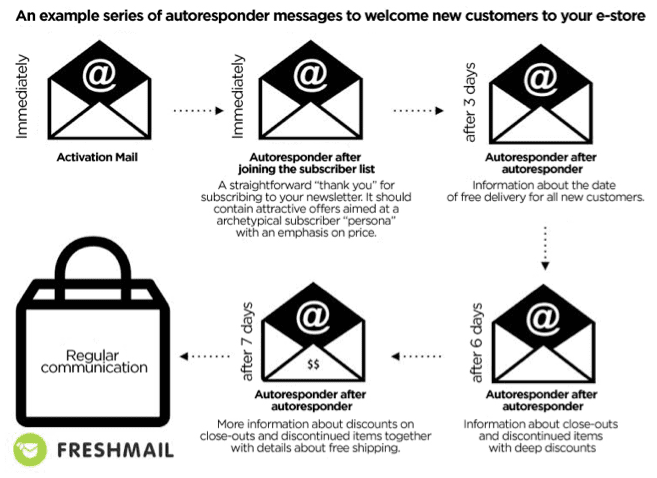
One of the best and simplest examples of EMA is the creation of welcoming emails. This is a cycle of messages sent at different time intervals to new subscribers to your newsletter. The goal of the campaign is to encourage recipients to complete their first purchase with unique, dedicated offers. This kind of gradual process not only leads to conversions but allows you to gain knowledge about the preferences of your customers.
Abandoned carts
Abandoned carts are something we all have to deal with and there is no one-size-fits-all solution. Each customer is different therefore you have to create personalized, automatic reminder messages that can later be expanded into a sequence of messages. Since price is often the issue with abandoned carts, some kind of discount can be an effective solution for enticing a customer to complete transactions. You can use a static code for all customers or dynamic codes to generate one for each customer.
Product recommendations
Using behavioral data from your website, you can easily create 4 kinds of personalized messages - “Customers who purchased this product also purchased these products.” Remember not to display products that have already been purchased by the customer. “Other customers bought this product together with….”. This allows you present related products. “The most frequently purchased products in this catergory are…”. Show what’s popular and in demand. Messages dedicated to abandoned carts and recommended products. These are based on products that have been discarded. Customers are presented with top products from the abandoned category together with the product they left behind.
Such recommendations can also be used in cyclical newsletters as a second primary message. It’s important to remember to rotate your dynamic content so that recipients don’t feel that they receive the same offers over and over.
Who should use EMA?
Every business with an online presence needs to automate their promotions with highly personalized product offers to match individual customer profiles. This is absolutely essential to succeed in online sales. You can only reach your sales potential by sending the right offer to the right person at the right time. Regular email marketing lets you personalize your message and your offer to a fairly high degree but using behavioral data about the activities of users on your site makes more precise customer profiles possible and drives conversion rates even higher.
The sales process is multidimensional and implementing as many of the tools and strategies listed here as possible in order to maximize the flow of information between them is ideal. Good email marketing systems offer dedicated integrations with CRM platforms and ecommerce by sharing API codes. Apart from these integrations, you can also sync multiple apps via Zapier through an easy drag and drop interface that doesn’t require advanced technical knowledge.
HAVE you felt the need to bid on an eBay item because of the red countdown timer that was staring back at you? Ever checked out a flash sale to see what deals you could snag during a limited time offer?
If so, you understand how urgency works–especially in a conversion-oriented context. Urgency is a powerful motivator for getting people to take action, whether that’s to make a purchase, sign up for an event, etc. It’s all about the here and now.
In this post, we’ll look at a few easy ways you can harness the power of urgency to boost sales and grow your customer base.
Countdown Timers
A countdown timer helps you create a sense of urgency by reminding shoppers how much time is left before an offer, discount, or special pricing expires.
It works because it activates Fear Of Missing Out, or FOMO. FOMO plays into a larger psychological experience, called Loss Aversion Theory. Researcher Daniel Kahneman found that people hate missing out on positive rewards (like a good deal or a special offer) almost 2x more than they love actually getting the deal. Essentially, that means missing out hurts twice as much as getting the deal feels good.
Countdown timers are proven to activate FOMO–and to drive conversions. We tested Urgent Timer on a page with and without it, and found that including the countdown timer more than doubled conversions. Now that’s pretty impressive.
The main takeaway here:Countdown timers create urgency and drive conversions because of FOMO and Loss Aversion. Basically, no one likes to miss out on a good deal.
Limited Time Offers
Offers that are limited to a shortened time frame (think flash sale or early bird discount) help leverage the power of urgency by reminding customers that they’re working within a limited context. Open-ended offers just don’t have the same anxiety-producing, must act now pull that these types of offers do.
Why? Because limited offers feel more scarce–and scarce items are seen as more valuable. It’s the same reason we value diamonds and Black Friday sales. There’s not an endless supply of either, and so we are more motivated to attain them when possible.
Limited time offers also help those customers who are taking their time making a decision speed up that process. Researchers proved limited time offers really work: When 14 shoppers were told that they were working with a limited time sale, they became more competitive and motivated to buy.
The main takeaway here: Open ended sales are okay, but making them limited in time frame creates a greater sense of urgency to act.
Low Stock Notices
Another way to communicate urgency and drive conversions is also through scarcity, but from a limited quantity perspective. Low stock notices inform customers they need to act now to get an item that’s about to sell out–which puts them in a frenzy to take action. Remember what we said about FOMO?
Lulus.com, a clothing retailer, uses this to inform shoppers of which items are about to sell out. They even have a whole page on their site called “Going Fast” for these items that are just about out of stock.
The main takeaway here: Urgency can work beyond a time perspective. Think about promoting limited stock to convince your shoppers or customers to take immediate action.
Urgency is Essential
With countdown timers, limited time sales, and low stock notices, you can start using urgency to drive conversions right away. Just remember to use it sparingly–you don’t want to overdo the anxiety-producing angle for customers, or they’ll just get worn out. Save it for times when it really makes sense.
In search of a great tool to increase urgency in your online marketing efforts? We highly recommend Urgent Timer. A cloud based software, created and designed by Snaptactix.
Inspire viewers to take immediate action on your eCommerce store, website or blog and even within marketing emails. Grab our easy to use, copy and paste tool to add countdown timers anywhere!
When most emerging e-commerce brands turn to digital marketing to increase sales, many think of SEO, display advertising, and paid search. If you’re one of those companies, then not only are you leaving money on the table by not testing less expensive options, but you are missing a wave of new consumers that are not yet ad blind on those next new things.
Here are three ways to sell on social media that you aren't using yet:
1. AI customer support chat bot.
The promise of AI is finally here, at least as far as sales support is concerned. What’s worse than a potentially interested customer reaching out to you at 1 am with credit card in hand, only to lose interest when the support team finally gets around to answering questions at 2 pm the following day?
With the emergence of tools like Thezboy, customers can be captured at a higher rate since support is instantaneous and can be designed to carry a prospect from basic question and answering, directly into an order, all within the confines of the Facebook support channel on messenger.
Further, with AI customer support where bots employ machine learning and understand word variance, the support actually gets better over time as it begins to predict next possible questions and provides suggestions to management on everyday items to address that would negate the need to use support at all.
Thus, not only is AI expected to initially augment and then eventually replace the majority of support tickets that occur on the internet, but also the basic ping-pong conversations that take place between prospects and most customer service desk-centric sales departments. The future is very bright here, both from a sales perspective and labour cost savings.
When social media first started its ascension into our hearts and minds, as a business community, we were quick to latch on, even though there was little way to relate activity performed on social to sales made offline. In time, however, tracking has become more sophisticated, and it is now possible to equate the slightest activities to downstream outcomes via Google Analytics, UTM tracking, specialised coupon codes, and custom phone numbers.
With those expanded tools, another boom started: word-of-mouth marketing presently referred to as influencer marketing. When most people think of influencer marketing, they might think of Kim Kardashian, or perhaps me, and Tyra Banks? There’s a lot more to it than that.
Peer-level influence as exemplified by services like Intellifluence is specific and more personal. Are you more likely to trust the recommendation of a reality TV show celebrity selling running shoes or your friend that runs a marathon every weekend? Even though your friend almost certainly has a smaller audience, you know her to be authoritative and knowledgeable on that subject, and thus more likely to trust her opinion vs. someone probably being paid millions to endorse the product-of-the-week.
Now that tracking allows brands to very quickly and easily utilise thousands of smaller individuals in the same way that they might have previously employed an untargeted display ad campaign, and iterate faster on which influencers are producing an ROI for the campaign, it is no wonder that this concept is the breakout marketing practice of 2017.
Psychographic segmentation, as a practice, is rapidly becoming a staple both by major brands and political pundits alike. The concept is by segmenting users by their stated or implied activities, interests, and opinions (AIOs), along with values they hold, behaviours they exhibit, and general attitudes, one can develop a significantly more targeted ad campaign. Companies like Aimclear explain how psychographics are expected to eat the traditional display ad budget by showing how much of typical display ad spend is wasted attempting to reach the wrong people and how much less can be spent with Facebook’s detailed behaviour targeting.
I wanted to mention psychographics last because as a targeting and segmentation practice, it can also be used to define the approach on the AI customer support chat bots. Imagine the power of being able to customise a support bot based on past chat behaviours and sentiment so as to more ideally mirror the prospects’ values within the support channel. Reaching common ground is a common sales technique, but has never been automated in such a way before.
Finally, psychographics can also play a significant role in peer-level influencer marketing. The more nuanced and better understanding of a buyer persona, the more targeted an influence campaign can be, selecting those individuals that closest match your intended buyers. Now, imagine running such a campaign and using the chat bot to close the sale for you. Wow.
AS a marketer, you want to connect with your audience. You want customers and clients to think your brand is friendly, approachable, and easy to work with.
So when your manager comes in and suggests increases in automated efforts, you’re skeptical. How can a human connection be automated? How can you make customers trust you without personal emails and phone calls?
Whether you work at a small company that’s growing or a large company that’s disconnected from its customers, you can add a personal touch to your customer communications, even if you have hundreds or thousands of contacts.
Here’s how to use online automation while keeping and cultivating a personal touch:
Look for holes that automation can fill
You shouldn’t use automation just because some online marketing expert told you it was a good idea. You should use automation to fill existing gaps, and as a time saver so that you can focus on more big picture initiatives. Take a look at your marketing process, and see which activities (particularly ones that you do over and over) could be automated.
Here are some holes that companies often fill with automation:
User onboarding
Welcome emails for newsletters, courses, and events
Sales cycle emails
Transactional-based emails such as confirmations, notifications, and shipping information
Scheduling of blog posts and social media updates
Use automation to personalize
It’s easy enough to automate email marketing efforts, and you can use automation to send high-performing personalized campaigns. According to Campaign Monitor, emails with personalized subject lines are 26% more likely to be opened, and Experian reports that personalized emails deliver 6x higher transaction rates.
Email service providers like MailChimp, Campaign Monitor, and SendLane offer integrations and APIs that allow you to pass data from your CRM or ecommerce platform directly to your email lists. You can setup automated emails so that every time a customer makes a purchase, or adds something to their online shopping cart, they automatically get a personalized email.
A personalized, automated email from Gorjana encouraging purchase completion.
Use automation to open communication
Automation is not a barrier between you and your customers. Instead, it’s an open door. Each time customers receive automated messages, you can encourage them to contact you if they have any questions. If you send an email, tell customers to simply reply back with any concerns. You can put links to your brand’s social media pages in your emails so that customers can connect with you.
For example, if you’re interested in buying a new home, your real estate agent can automate daily emails for the latest MLS listings based on your criteria. At the end of the email, the agent will provide their name, phone number, and email address so that you can get in touch if you see a property of interest. The agent is consistently providing you with information, while still encouraging you to get in touch.
Write like a friend
If you want to ensure that your automated efforts still feel personal, make sure that you write like you’re talking to a friend. When you create automated emails, speak to one person, not the crowd. Here’s how to write like a friend:
Use the second person, which means using “you” rather than “our customers.”
Use custom “from names” to show the messages come from a human
Employ casual language, like you would in a friendly email
Some companies, such as Dubsat, use a custom “from name” in automated emails, so that the emails feel personal. Dubsat goes as far as to send the emails from the individual’s account executive.
Final thoughts
Today’s tools make it easy to automate email, social media, advertising, and content marketing efforts. The key is to assess where your brand has gaps, and fill it in with deliberate automation that prioritizes a personal touch.
If you automate your online efforts, you can save time, increase efficiency, and provide customers with a more comprehensive and fulfilling experience. Automatic doesn’t mean robotic- use these tips and tactics to create automated marketing that feels personal.
Your turn: What’s your experience been with automation for online marketing efforts? What are your struggles, and where have you seen success? We’d love to learn about your experiences, so we can share your insights with our readers.
There's no doubt that blogging/running a website is one of the most popular activities you can do online. You get to voice your ideas, thoughts, and opinions and share them with the rest of the world, while also improving your writing skills, and connecting with other, similar-minded individuals. You get to write about what you love, and it doesn't get any better than that.
Well, actually, it does get better if you can earn some money in the process. However, while blogging is a lot fun, if you're going to turn into a source of additional income, you're going to have your work cut out for you.
The bad news is, only a small percentage of bloggers and website owners earn huge amounts of money, and most of them are devoted to it and consider it a full-time job. Also, there are those who generate enough revenue for themselves while working part-time in addition to their day jobs. In both cases, it's not something which can happen overnight. It takes time, hard work, lots of trial and error, and patience. The good news is that it is very much possible - this infographic from Website Setup outlines some of the most effective ways you can earn money from your website or blog.
Making money from your website isn’t a myth. It’s doable by everyone. In fact, turning a part-time, hobby blog into an income generating asset is fairly common with a bit of luck and some hard work. At the very least, you should be able to make enough to cover your basic expenses for a domain and hosting. You might even be able to replace your income (and then some). Keep in mind that the strategies listed below range from easy and passive, to ones that require a TON of on-going work (so make sure you pick something that suits your site and lifestyle preferences). There are 33 total tips in this guide, but let’s start with the ten most popular (and predictable) site monetization tips.
10 Most Common Ways to Make Money with Your Website
Making money from your website isn’t easy. But these ten tips are probably your best bet.
1. Affiliate Marketing (.. and affiliate links)
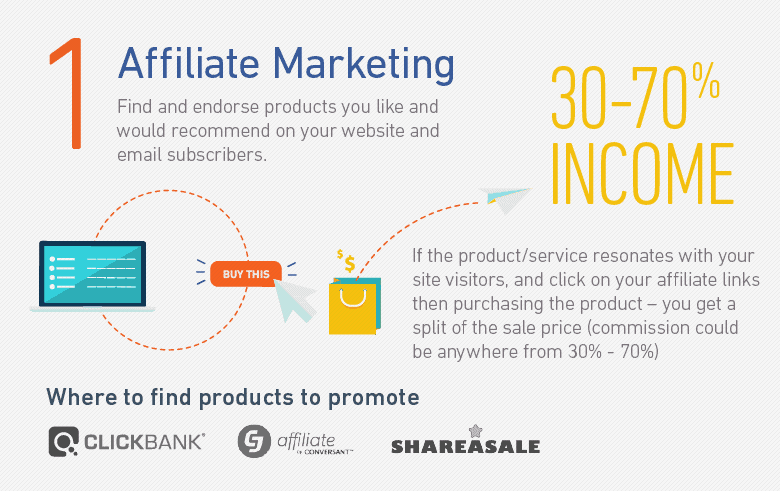
Example of a successful affiliate site: Booking.comAffiliate marketing is one of the most popular (not to mention quickest) ways to make money from your website or blog. Start by finding a product you like and would recommend. Then on your website, you endorse the product and promote it to your website visitors and email subscribers. If the product or service resonates with these people, they’ll click on your affiliate link, purchasing the product (while you get a split of the sale price). The commission might be anywhere from 30% of the product or service price, up to as high as 70%. So for example, if the split is 50% and you promote an e-book that costs $100, you’ll get $50 for simply referring the buyer. Pretty sweet deal, huh?! Where can I find products to promote?
ShareASale – mostly clothes, accessories, and other offline goods.
Clickbank – high percentage payouts, but there’s a lack of GOOD products to promote.
2. Pay Per Click Advertising (Google Adsense)
Example of a successful Google Adsense site: Mashable.comAdWords are the advertisements that show up on the top of Google search result pages. AdSense is the reverse, allowing publishers (which includes bloggers and other website owners like yourself) to tap into Google’s immense advertising network so that other advertisers can run ads on their website. The best part about this system is how simple everything is. Once you sign up, Google will place a simple code on your website that will identify the content of your site and start displaying relevant advertisements. For example, if your site is about pets (dogs & cats), Google AdSense will start showing your visitors ads for cat food, dog training and more. You get paid each time someone clicks on the ad. (Yes, it’s really that easy!) Your cut might be anywhere from $0.50 to $5 per click. However, when your site has enough traffic, you can make hundreds (if not thousands of dollars) each month. How to apply for for Google Adsense?
Apply for AdSense – Before applying, make sure you keep up with their latest Terms Of Service, though. Google has very strict rules, so it’s hard to get (and stay) approved.
3. Sell Ad Space
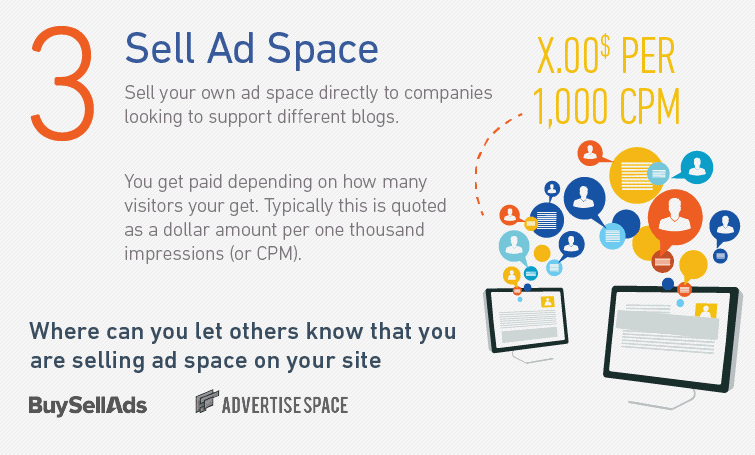
Incorporating Google’s AdSense on your website is just one way to make money from online advertisements. Another is to simply sell your own ad space directly to companies looking to sponsor different blogs. For example, you can come up with a price for each space, like: “Sidebar banner ads will cost $xxx per month”. You can get paid depending on how many visitors you get. Typically this is quoted as a dollar amount per one thousand impressions (or CPM). So for example, you might see it as: $5 CPM. If the website gets 100,000 visits a month, that ad price translates into $500 bucks. The good thing about this approach is that if your site gets a ton of traffic from different sources, your simple banner ad pricing can go up to as high as $5000 per month! However, the obvious downside is that if your site doesn’t get a lot of traffic, you can’t expect to earn as much either. The other common method when selling ad space directly from your website is a simple direct price. Here you simply name a price (based on what you think it’s worth, relative to what the competition might be charging), and get paid upfront at the beginning of each month. This pricing is also generally a simple flat fee, not tied to a Cost Per Click like AdSense. Where can I let others know that my website is selling ad space?
– The most popular one.
AdvertiseSpace – I haven’t tried it, but it should be a good alternative.
4. Sell Your Own Digital Product (Ebook for Example)
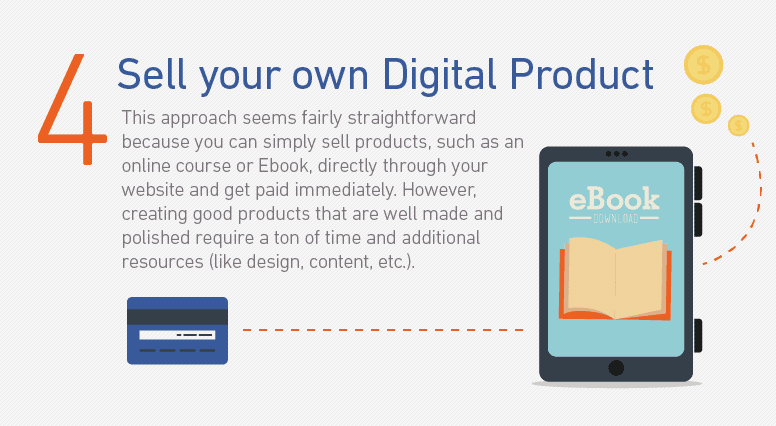
You have the potential to make the most money on a per sale basis when you can sell your own directly. That’s because there’s no middle-man or person in between you and the buyer that’s taking a ‘cut’ from the money earned. This approach seems fairly straightforward because you can simply sell these products directly through your website and get paid immediately. Unfortunately, it’s not that simple in reality. Creating good products that are well made and polished require a ton of time and additional resources (like design, content, etc.). So there’s a lot of ‘hidden costs’ in both time spent or contractors to collaborate with. Selling your own products on your site also bring up problematic issues like payment gateways (how are you going to collect payment?), shipping (how are you going to mail or distribute the products?) and taxes (oh man, don’t get me started). And if that doesn’t sound like enough work already, you’ll also need a well designed, persuasive landing page to make sure your product has a strong conversion rate. Additional resources: How to sell products on your website. How to set up a PayPal “Buy Now” button on WordPress
5. Accept Donations from visitors
Don’t have a ton of monthly visits, but you do have a strong, engaged community? Simply ask your readers to donate! Accepting one-off donations isn’t a fast road to wealth, however, it can help you cover expenses in the short-term if people like what you have to say and want to support your journey. For example, PayPal offers little donation buttons that only take about ten minutes to add to your website, offering you a quick way to recoup what you might be spending on hosting, new product creation, research, and all of the other costs to maintain a healthy, active blog. For example, web.archive.org makes a lot of money from donations (most likely due to their millions of visitors per month). How to set up donation buttons?
6. Accept sponsored posts & articles (…but use nofollow tag)
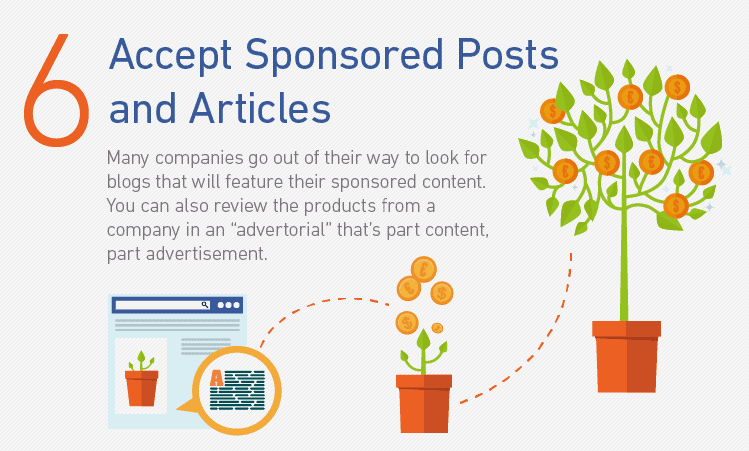
One of the common ways to making more money from your website means getting those visitor numbers UP. Once you’ve done the hard work of building steady traffic to your site with an engaged community, there are a few different ways to monetize your hard work. For example, many companies go out of their way to look for blogs that will feature their sponsored content. ‘Native advertising‘ like this works well because it still lines up with your site’s primary content, so it comes across relevant and transparent. You can also review the products from a company in an ‘advertorial’ that’s part content, part advertisement. For example, if your website is all about the latest iOS games for iPhones and iPads, the creator of one of those ads would LOVE to have you review and feature their app to your fans. When done right, this can create a win/win scenario. However done poorly, with irrelevant or inauthentic site content, and it can erode all of the reader’s goodwill you’ve worked so hard to create in the first place. For further reading:
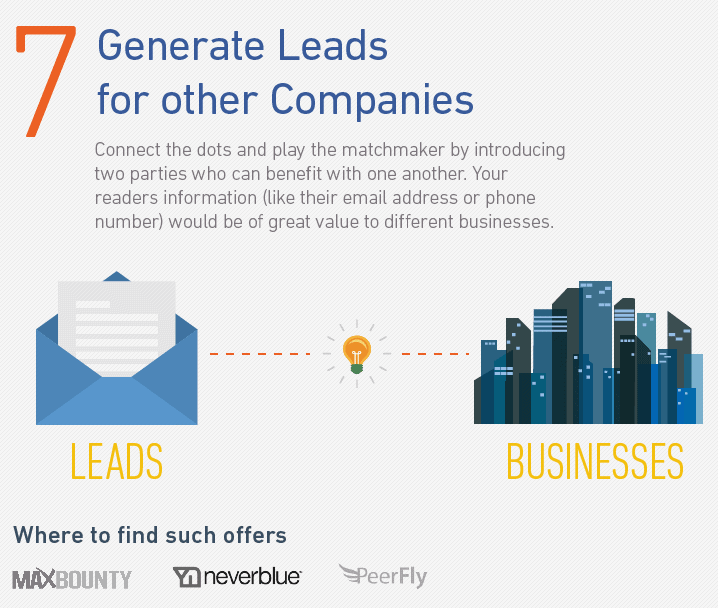
Businesses thrive off new leads coming in their door to inquire about their products or services. It’s no surprise then that they’re always on the lookout, searching for creative ways to find new sources of leads to help them grow. For example: Let’s say you have a website about teaching math skills. Your reader’s information (like their email address or phone number) would be of great value to different online schools who’re looking to sell their courses to eager, proactive students. Basically, you’re connecting the dots; playing the matchmaker by introducing two parties who can benefit one another. While it’s similar to how affiliate marketing works, in this case it doesn’t actually matter if your reader ends up purchasing their product or not. They’re just looking for an introduction at this point. Where can I find such offers?
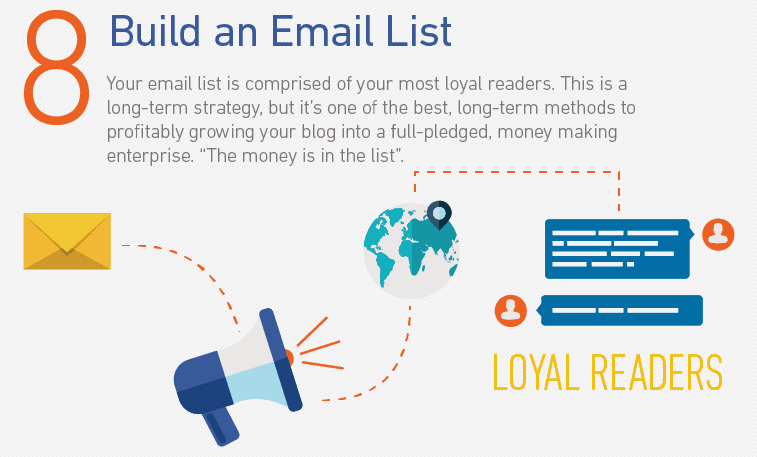
Spend any amount of time reading blog growth tips, and you’re sure to come across people saying “the money’s in the list“. They’re referring to your email list, which comprises your most loyal readers. The objective is to convert as many strangers who visit your site for the first time into passionate followers who want to stay up-to-date on your latest work or content. Admittedly this is a long term strategy (and you definitely won’t get rich overnight). But it’s one of the best, long-term methods to profitably growing your blog into a full-fledged, money making enterprise. Never lose sight of the importance in creating relationships with your followers, however. Offering great information or free help is a perfect way to start. Spamming people with unsolicited offers is one of the fastest ways to abuse reader’s trust and sabotage your long-term goals. How exactly does it EXACTLY work?
Listbuilding 101 – Probably the best introduction on the internet.
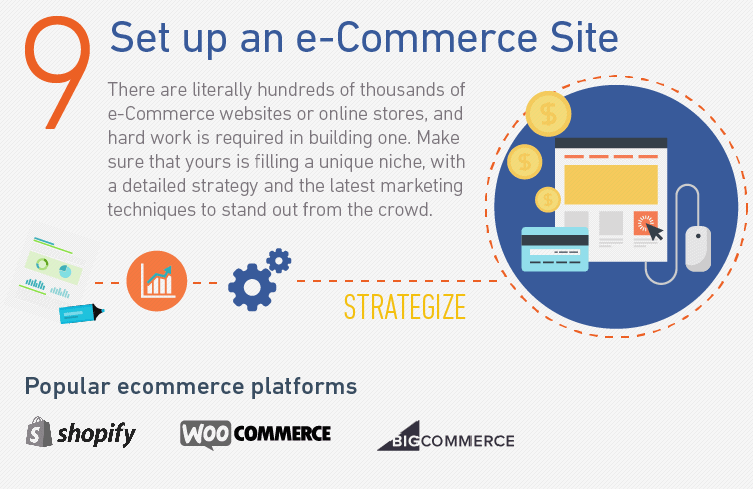
9. Set up an e-commerce site (hard work is required)
Websites don’t have to be just content. They can be centered around tools or products in an online store. Be forewarned, though: There are literally hundreds of thousands of eCommerce websites or online stores. Make sure that yours is filling a unique niche, with a detailed strategy and the latest marketing techniques to stand out from the crowd. How do I create a successful online store/shop?
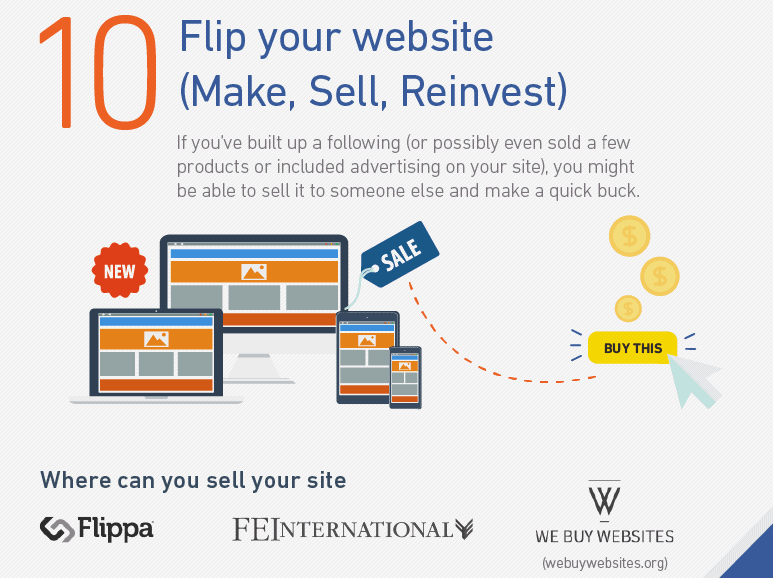
10. Flip Your Websites (Create -> Sell -> Reinvest)
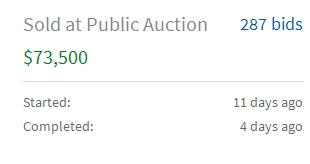
Believe it or not, there’s almost always a market out there for your website. That means if you’ve built up a following (or possibly even sold a few products or included advertising on your site), you might be able to sell it to someone else and make a quick buck. To be honest, I typically don’t suggest people plan on flipping their website or blog. (I’m a bigger fan of creating something for the long term.) But you can’t deny how lucrative it can be. For example, if your website is making $500 per/month through selling ad space, you might be able to sell the site for $5,000 – $10,000 (which is about 12x – 22x monthly income). Another interesting option is to sell ready-made sites, These are MUCH cheaper, but there’s still some money to be made. Where can I sell my site?
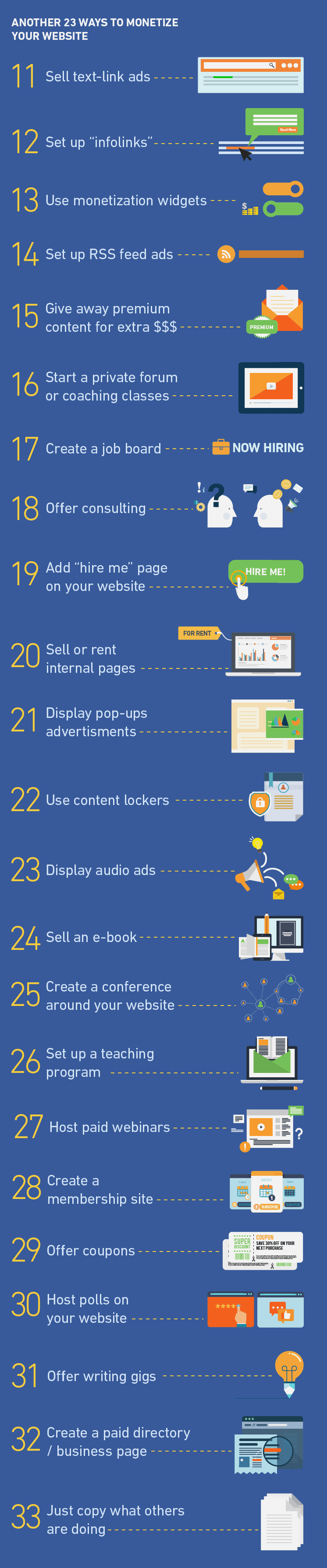
We’ve counted down some of the most popular ways to earn money from your website. However, we’re only just scratching the surface. Below are another 23 ways to make money with your website. (Keep in mind that some of them are slightly connected with the ones above yet they are little ‘out of the box’.)
Another 23 ways to monetize your website
11.Sell text-link ads – There’s still a demand for text-links ads (believe it or not). But please keep in mind that these violate Google’s Terms of Service (which means you run the risk of getting penalized). To avoid it, simply keep the ‘nofollow‘. 12. Set up “infolinks” – Infolinks are a great alternative to AdSense advertisements, that are very easy to setup. However, the downside is that they aren’t high converting, and the payouts (on a per click basis) are also quite small. 13. Use monetization widgets – These are also very similar to Google Adsense, so they’re worth trying out as an alternative. 14.Set up RSS feed ads. – Exactly what they sound like. Ad space for sale in-line with content from an RSS feed. 15.Give away premium content for extra $$$ – If you are producing mind-blowing, awesome content that visitors can’t get enough of… you can always try asking them to pay for some of it! (Crazy concept, huh?!) I’m personally fine with paying for premium content. However, don’t ask people to pay right away. Instead, stay focused on growing an audience and visitors first. 16.Start a private forum or coaching class(es) – Most of us have unique skills that others can benefit from. Setting up a simple forum or classes is an easy way to (a) help others and (b) generate recurring income at the same time. 17. Create a job board– Setting up a job board on your website is another simple, easy way to collect additional money when people accepting different job offers from various companies or individuals. 18.Offer consulting – Offering consulting gigs and providing services can help you bring in decent sums of money while other forms of ‘passive’ revenue take a little time to build up. You can offer these services via email, forum and or even Skype. 19.Add “hire me” page on your website – Your new website or blog is also a perfect place to feature your freelancing services. Showcasing samples or evidence of past work will help greatly increase your chances of getting hired. 20.Sell or rent internal pages – These aren’t very common, however, you might be surprised at what people would be willing to rent or spend money on! 21.Display pop-ups advertisements – Pop-ups can be extremely annoying. However, they’re also another easy way to make some quick money. 22. Use content lockers – ‘Content locking’ is similar to hiding or protecting pieces of content until a visitor takes some action to redeem it. For example, maybe you want them to pay a small amount, or perhaps click on an advertisement. 23. Display audio ads – These are relatively new and are becoming increasingly more common. Personally, I haven’t tried it. But I have read some articles and it definitely looks promising. 24. Sell an e-book – This one is a no-brainer. Many people sell e-books through their site. Some examples: If you have a website about recipes and cooking, you can easily create and sell your own recipe book. The same applies in almost every single other niche. 25.Create a conference around your website – Lots of work, but a huge potential payoff as well. 26.Set up a teaching program – Kinda like a cross between selling your own content and offering consulting or services. 27.Host paid webinars – Similar to the last tip, which is largely a mix of consulting through content. 28.Create a membership site – Yet another tier on the ‘info-business’ model that has the added benefit of bringing in recurring revenue. 29.Offer coupons (with affiliate links) – People are eagerly looking for discount & promo codes for everything from clothes to travel vacations. If you can (find and) offer a valid one, you can also get a cut of the revenue too. 30. Host polls on your website– Hard to believe, but easy to do! 31.Offer writing gigs – You can easily make $20 – $30 per 500-word articles writing for other companies or individuals. There’s also a huge potential for fluent speakers of different languages, as many companies want their websites translated by those who speak the native language. 32.Create a paid directory/business page – You charge people for listing or submissions to the page. 33.Just copy what others are doing – My personal favourite!